Editing Calendar Date Fields
 A few fields require the entry of specific calendar dates, such as the Date Accessed field. The edit control in this case shows a small calendar icon on the right side.
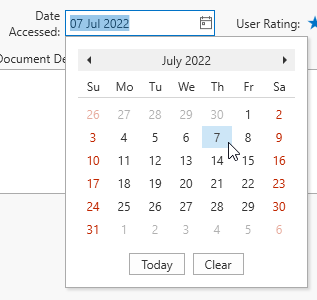 Click the calendar icon to drop down a date selection control, select the desired month and year and then click on a day in that month.
You can change the date selection without opening the dropdown calendar. Position the caret at the portion of a date value that needs to be changed. To increment the value, press the UP ARROW. To decrement the value, press the DOWN ARROW. Or use the mouse wheel.
Calendar dates must be entered as a full date. Ranges or partial dates (month or year only) are not supported at this time.