Research Tasks
Tasks are activities you need to perform while completing an objective. These are usually searches, analysis or administrative actions. You can define repositories Where a source document or item was found. This could be a physical library facility or online data provider. or known sources A source record in Clooz should be viewed as the higher level components of a source citation. Citation details are pulled from the citing Information Record. to be searched. Resulting Information Records Information Records in Clooz hold the content information coming from a document or other source. These differ from a Source record that contains most of the citation information describing the docment, or the Repository record referring to the facility or online service where the document was found. generated by the search can be linked to these tasks as search results.
Task record content:
- Title
- User defined identifier
- Type of task (search, analysis, or other)
- Start and Completion dates
- Status with flags for completed and hidden (archived)
- Priority rating
- User defined rating
- Search Parameters
- Task Description
- Results Description
- Default Source (for Information Records generated under this task)
Research Task Editor
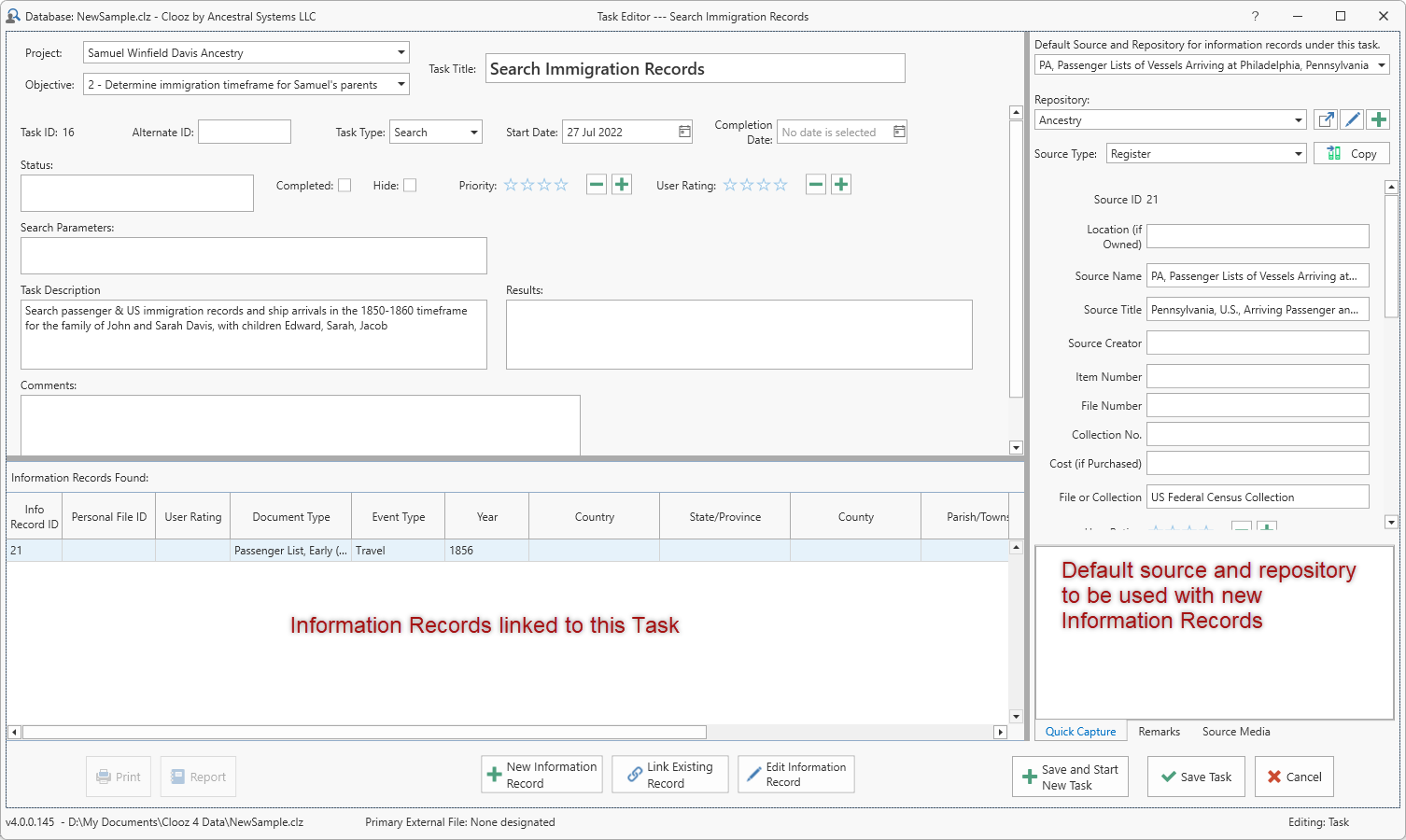
Default Source and Repository
In the right-side panel of the Research Task A search or analysis action to be conducted while attempting to fulfill a Research Objective. editor you can select a Source and/or Repository to become the default for any new Information Records created under this task. When a new Information Record is created, the Source and Repository fields in the Information Record will be filled with this data.
Any changes or selection of a different Source while editing the Information Record will take precedence over the default selection made in the Research Task.
Adding Information Records
Click the New Information Record button to create a new Information Record from within the Research Task editor. The following steps will occur:
-
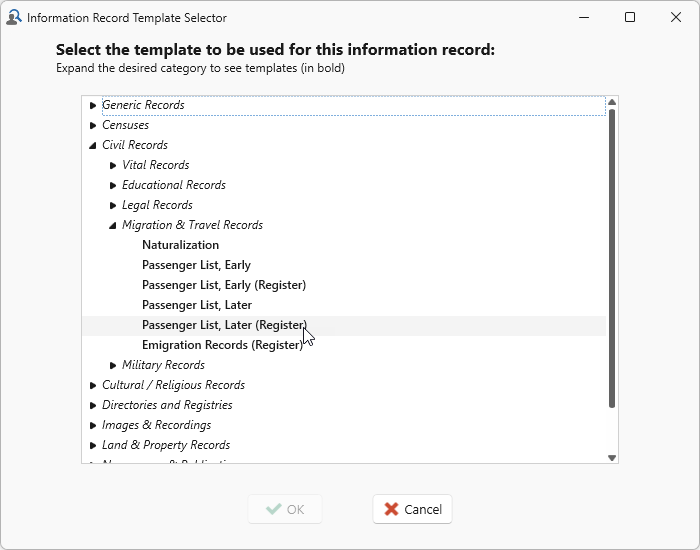 A list of Information Record templates will appear for you to select which is to be used with the record you are creating.
 -
The Information Record editor will appear using the template you suggest.
-
Enter the document information and subject
Subjects are the objects you are gathering information about. In most cases with Clooz, this is people. However, Clooz supports several other types of subjects such as businesses, real estate/buildings, ships and artifacts. details, then close the Information Record editor. -
The display will return to the Research Task editor.
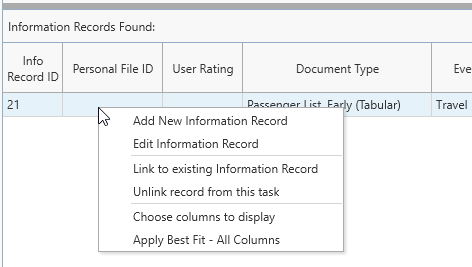 Right-click an item in the bottom panel to manage the list of Information Records in this editor.