Selecting Data for Analysis
Choose a data set best representing what you'd like to focus on from the list in the left side panel. The grid will then be populated based on the previously defined set of fields in the rows and columns. You can then proceed to work with that set of data by interactively changing fields for the rows and columns, filtering and sorting data. At any point you can switch to one of the other data set types.
There are four datasets you can choose from: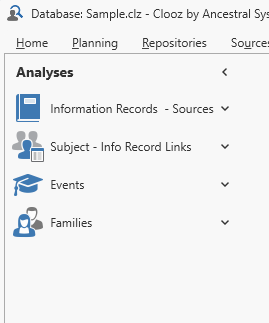
-
All Information Records
 Information Records in Clooz hold the content information coming from a document or another source. The Information Record differs from a Source record which contains most of the citation information that describes the document or the Repository record that is referring to the facility or an online service where the document was found. and the Source A Source record in Clooz should be viewed as the higher-level component of one or more source citations. Source citation details are usually included in the citing Information Record. records they cite,
 -
All Subjects
Subjects are the objects you are gathering information about such as people, buildings, ships, etc. In most cases within Clooz, the Subject will be a person. However, Clooz supports several other Subject types such as businesses, real estate/buildings, ships and artifacts. and their links to Information Records, -
All Events you have defined in Information Records, and
-
All Family Groups you have defined in Information Records.
These data sets are actually a super-set of all the related records in your database. So if you have a very large database you may need to be patient when loading the data for display.
Initially, a default layout of fields, rows and columns has been established for each data set. Under each of the data set categories are a list of alternative layouts for you to choose from. Any of these can be customized as you might desire.
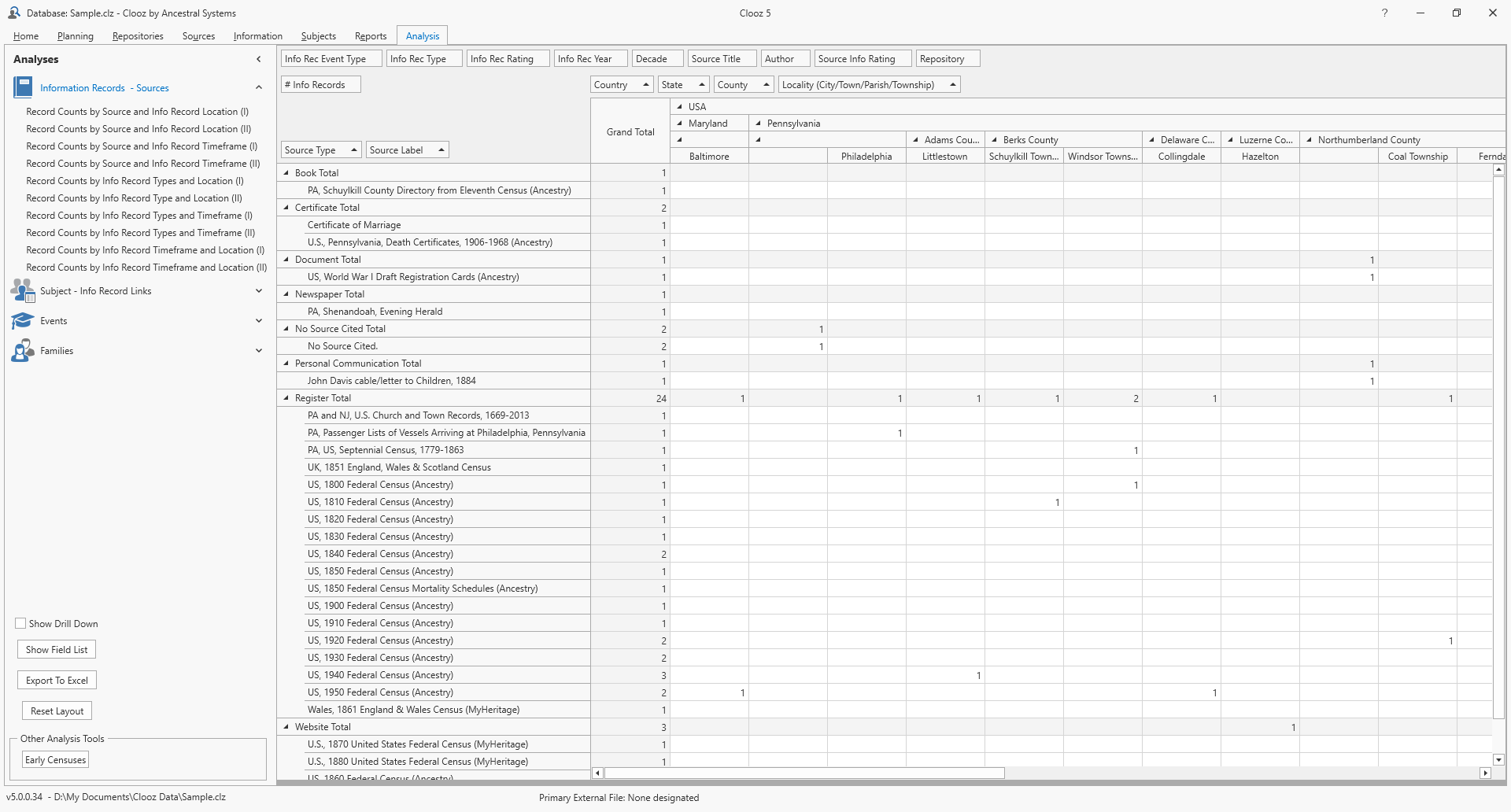
The Information Records and Sources data set is a good starting point to evaluate the Information Record locations and timeframes linked to various Source records, compare how various Information Record types relate to different locations or timeframes, or even how Information Record locations correspond to various timeframes.
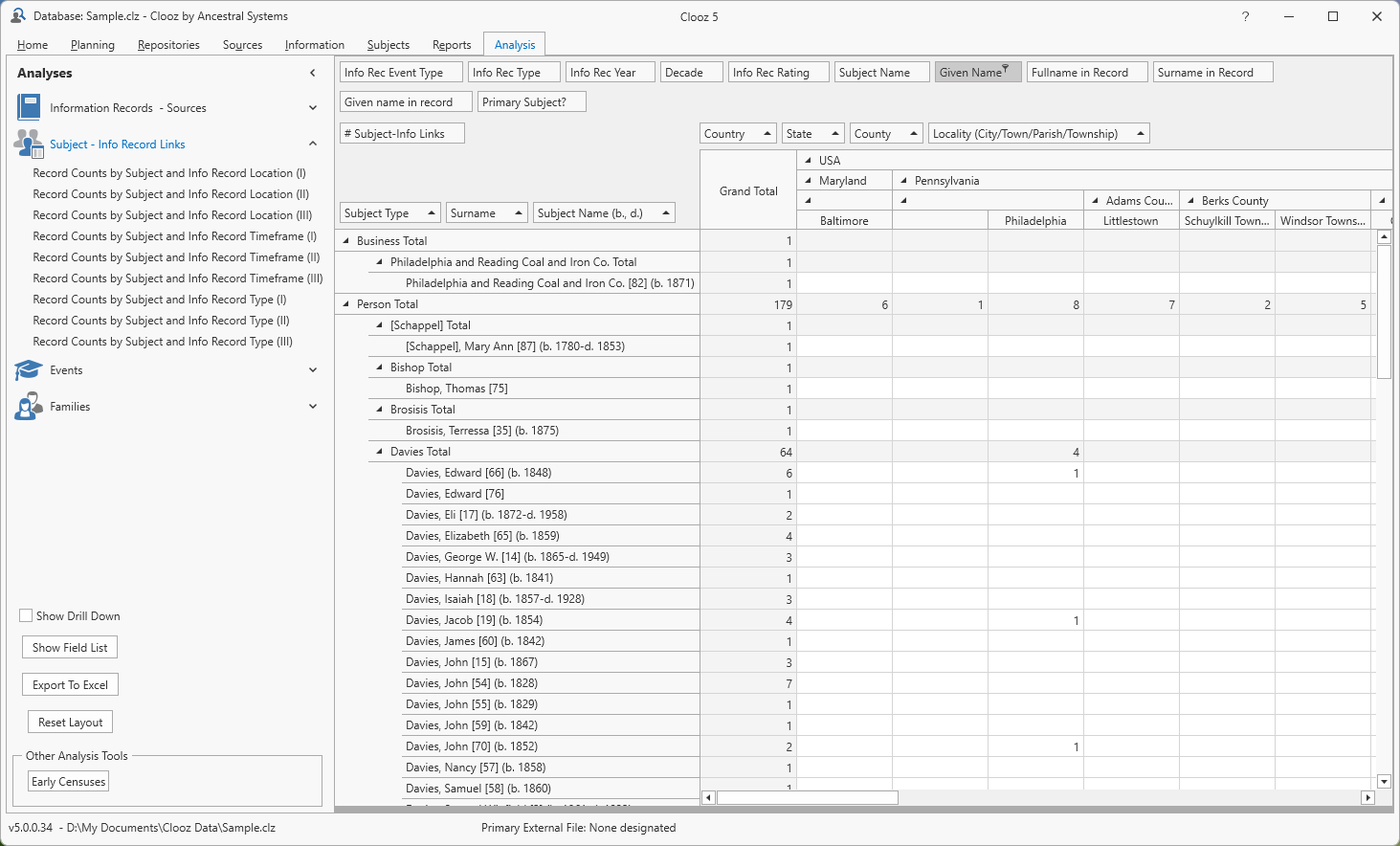
If you are interested in seeing how your Subjects are associated with various locations or timeframes, the Subject - Info Record Links category is the best choice.
If you have taken the time to enter extract event information or family groups from the Information Records you have created, congratulations. You can now take the powerful analysis tools to even greater levels. You can explore the relationship between those events or family groups with different locations and timeframes using the Events or Families data set types.