Drilling Down Into Analysis Data
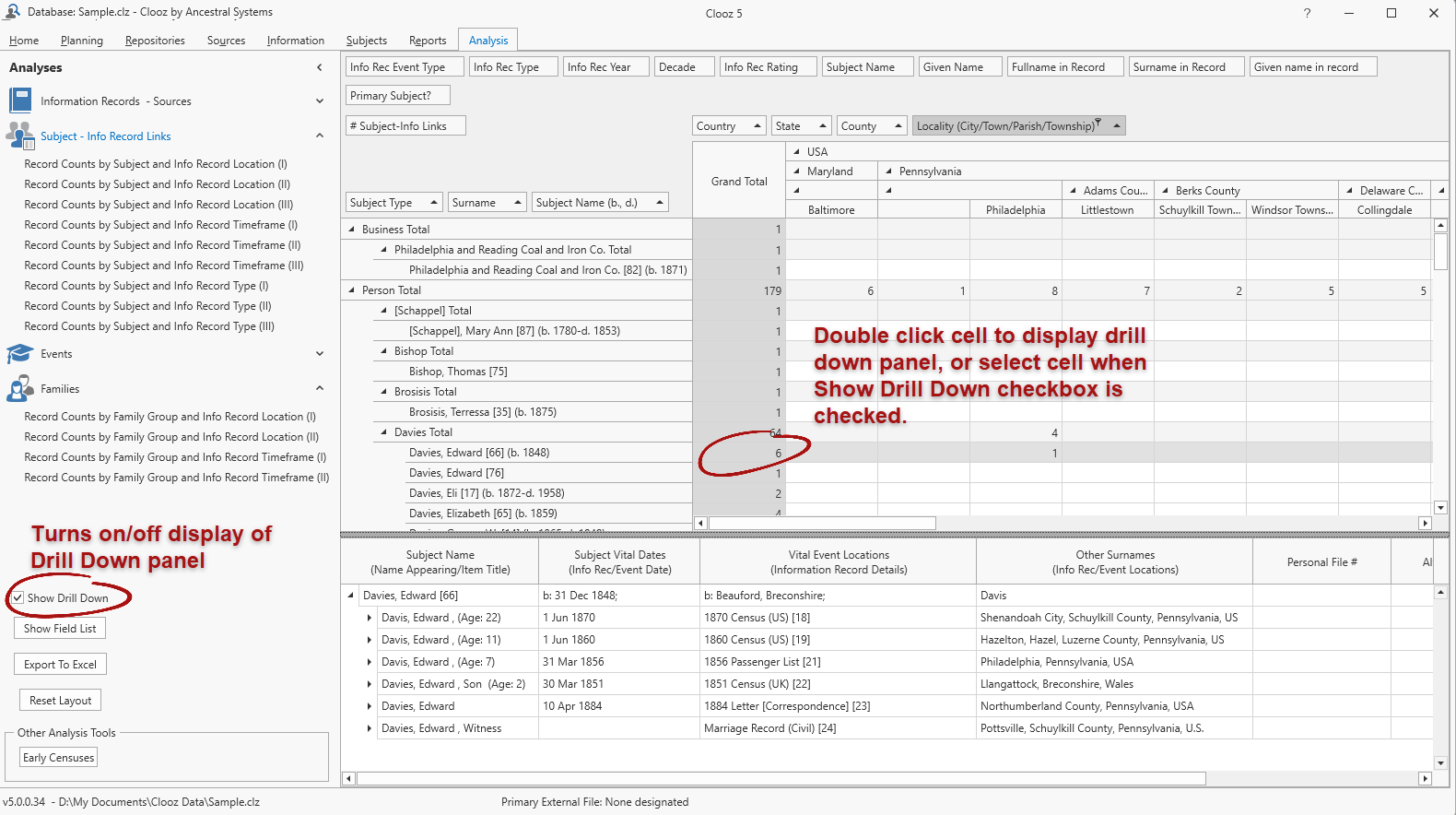 Often times you want to see more information than just a count of records. If you double-click on any data cell, Clooz will show you a grid at the bottom of the screen to drill down into the data. The grid will show details from all the records included in the record count for the cell you clicked. The row and column of the selected cell will be highlighted in the Analysis grid.
You can turn on/off the display of this drill down grid using the check box provided in the left side panel. Once the drill down display is active, clicking on any other data cell in the Analysis grid will cause the drill down grid to update to that newly selected cell.
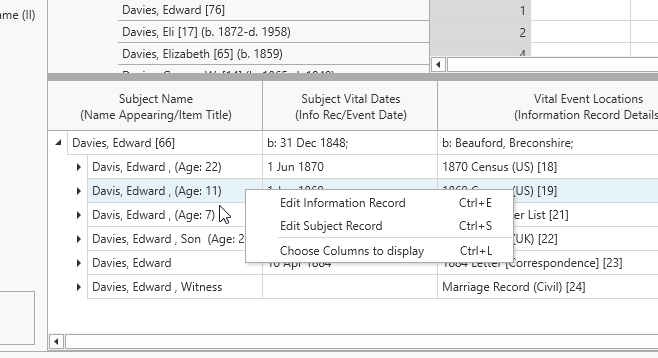 To open the editor for a record in the drill down grid, right-click and choose the desired editor. If you right-click a Subject record
 These are records within the Clooz database representing the Subjects being researched, and contain summary information about the Subject such as the dates for birth, marriage, and death for people., options are provided for both the Subject Subjects are the objects you are gathering information about such as people, buildings, ships, etc. In most cases within Clooz, the Subject will be a person. However, Clooz supports several other Subject types such as businesses, real estate/buildings, ships and artifacts. Editor and related Information Record Information Records in Clooz hold the content information coming from a document or another source. The Information Record differs from a Source record which contains most of the citation information that describes the document or the Repository record that is referring to the facility or an online service where the document was found. Editor. If it is an Information Record, only the Information Record Editor can be opened. There is also an option to customize which columns you want to appear in the drill down grid.