Early Census Review
Early U.S. censuses (prior to 1850) and several Canadian censuses only identify the head of household and provide counts of persons living in the household. The Early Census tool in Clooz provides a way to compare the household counts across multiple years, or between different households in the same year. Clooz uses a display layout developed by J. Mark Lowe presented at a National Genealogical Society conference in 2013.
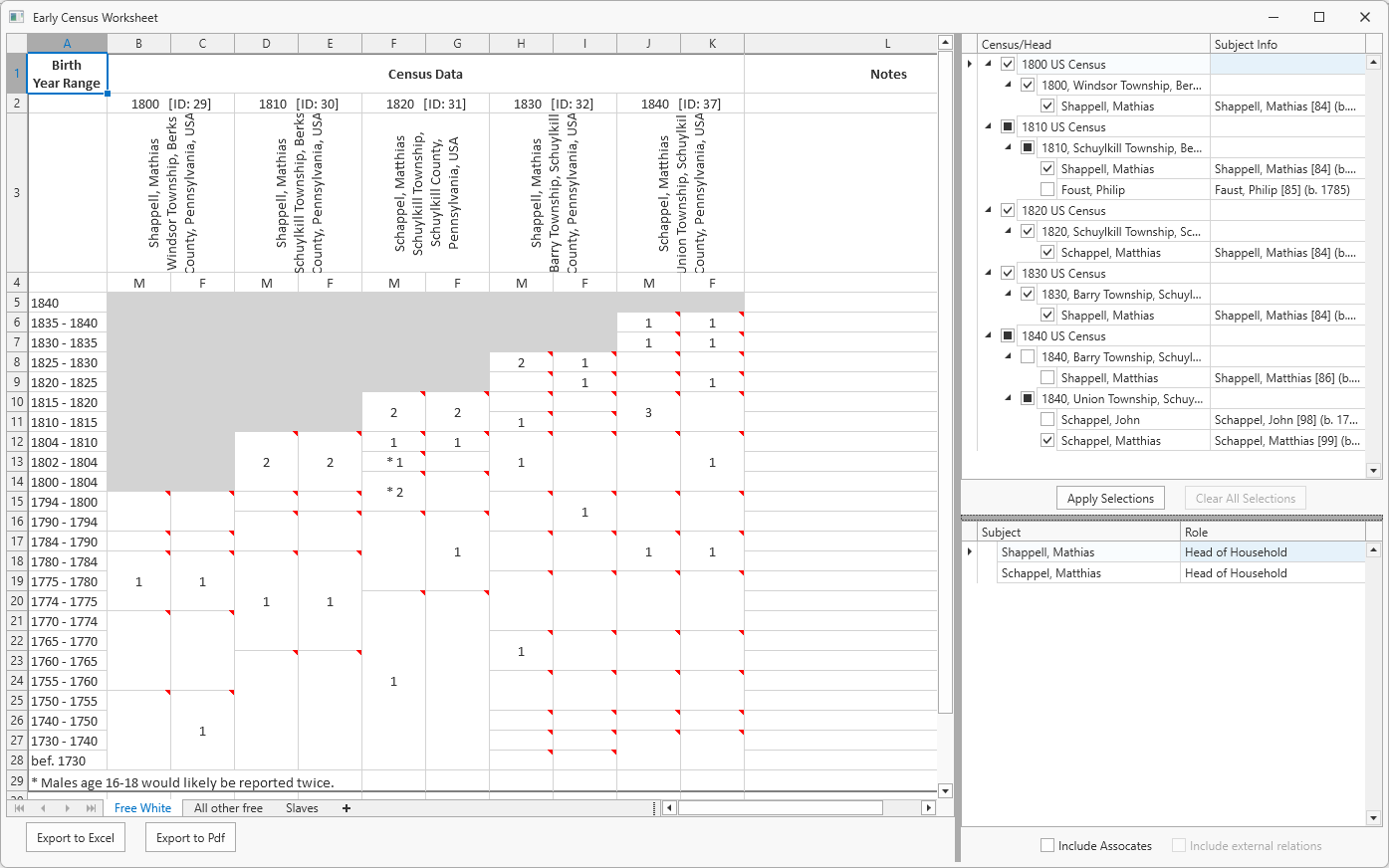
In these early censuses there are counts are for different sex and age brackets. In this display, the age brackets are related to birth year ranges appearing in the leftmost column. A child growing up in the family would be included in the counts appearing in the row for their birth year range (more or less, as census data is not always the most dependable for accuracy). In this way, it is easier to see when new persons join or leave the household.
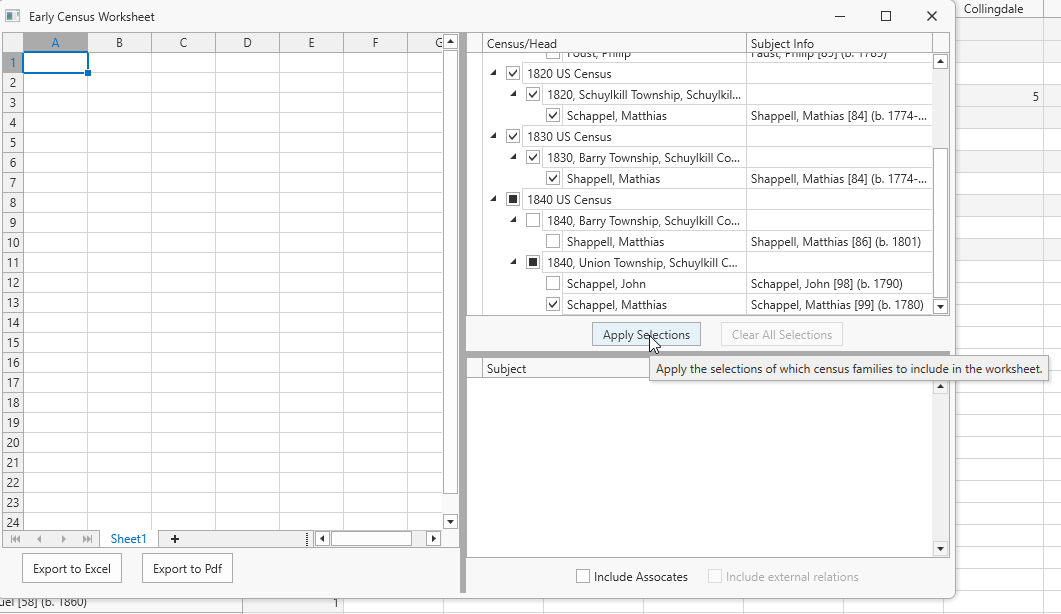 This review tool can be accessed by clicking the button in the lower left corner of the Analysis tab screen, or right click one or more Subjects
 Subjects are the objects you are gathering information about such as people, buildings, ships, etc. In most cases within Clooz, the Subject will be a person. However, Clooz supports several other Subject types such as businesses, real estate/buildings, ships and artifacts. or early census Information Records Information Records in Clooz hold the content information coming from a document or another source. The Information Record differs from a Source record which contains most of the citation information that describes the document or the Repository record that is referring to the facility or an online service where the document was found.. When the window opens, the first step will be to select which records to include in the display. All available early censuses in your database will be available for selection. If you invoke the tool from the Subject or Information Record context menus, the respective Subjects or Information Records highlighted at the time will be preselected in the early census tool. Click the Apply button to complete the display of the censuses and heads of households you selected.
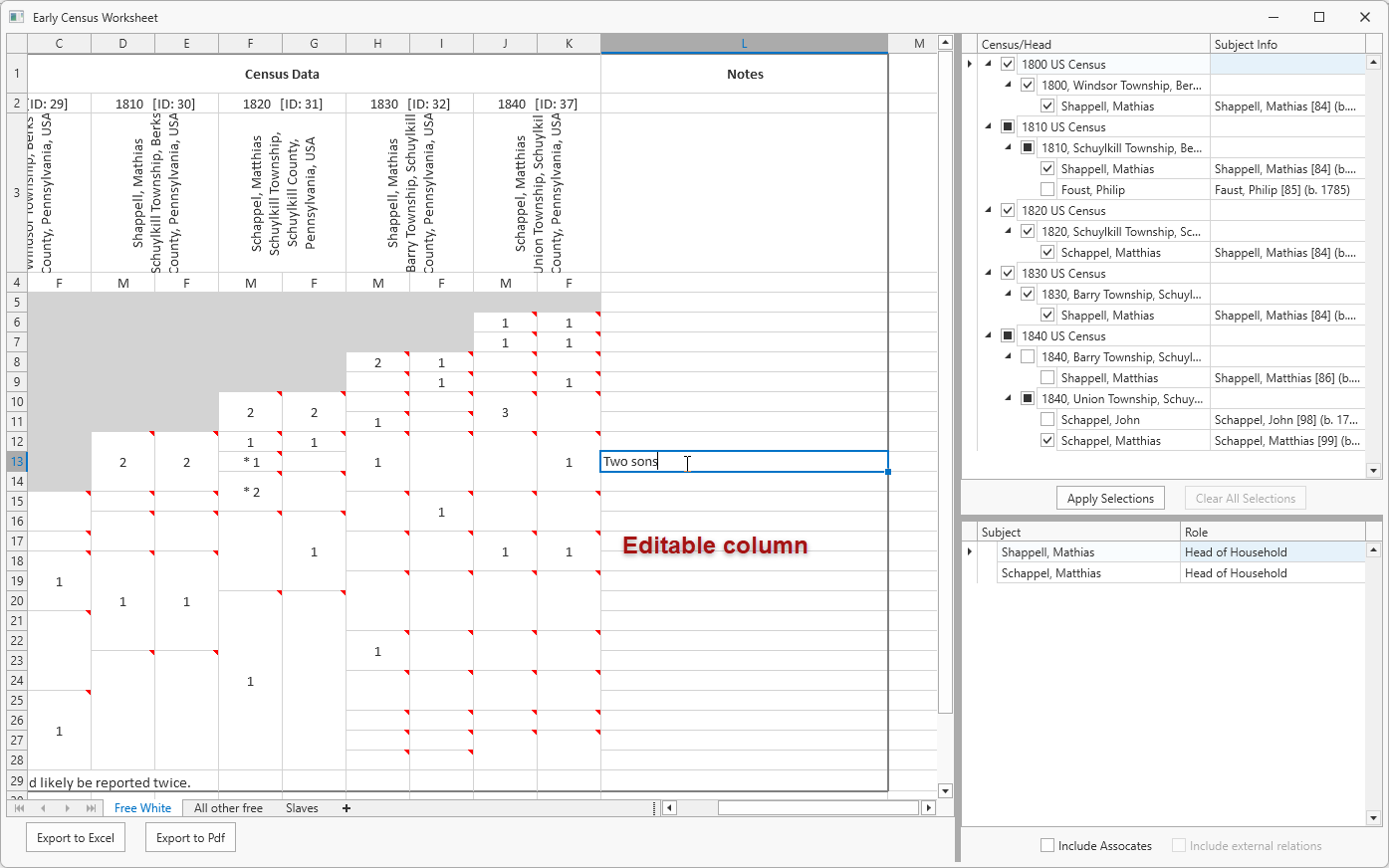 Once the census data has been displayed, a list of family members for the heads of households you selected will be displayed in the lower right panel. You might choose to drag and drop this information into the notes column in the census area, or type in other notes as desired. However, these notes are not saved unless you export the data to an Excel spreadsheet or Pdf file.
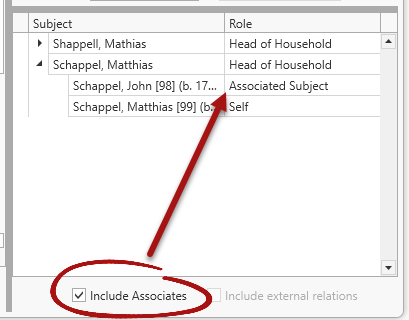 The list of people can be expanded to include all other people linked to the same Information Records containing the family members by clicking the Include Associates. If you have a Primary external file designated, you can also include related parents and children from that external file by clicking the Include external relations check box.
 Note that census having age ranges for other free persons or slaves are displayed in different tab pages of the early census grid. Click the desired tab to see the data under those categories.
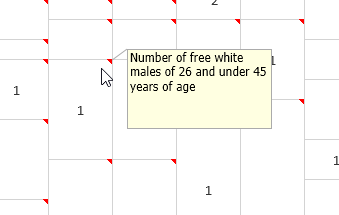 To see the age and sex bracket each cell represents, just hover the cursor over the cell to see the pop up description.
 You can export the entire grid to an Excel or Pdf file by clicking one of the Export buttons at the bottom of the Early Census window.